Interaction & UI
Implementing a HUD
A heads-up display, usually shortened to HUD, is the layer of on-screen information drawn over the game world: health, score, ammunition, timers, prompts, and minimaps. In MonoGame a HUD is normally drawn in screen space so it stays fixed to the window while the camera and world scroll underneath.
Download the runnable sample project
Use the verified ZIP bundle for this article to review the extracted example files, run the sample host, and repackage the sources without bin or obj folders.
Screen-space HUD rendering
Draw the game world first, usually with a camera transform. Then end that batch and begin a second batch for the HUD with no transform at all. This second batch uses window coordinates: (0, 0) is the top-left corner, GraphicsDevice.Viewport.Width is the right edge, and the HUD remains pinned to the screen while the world moves.
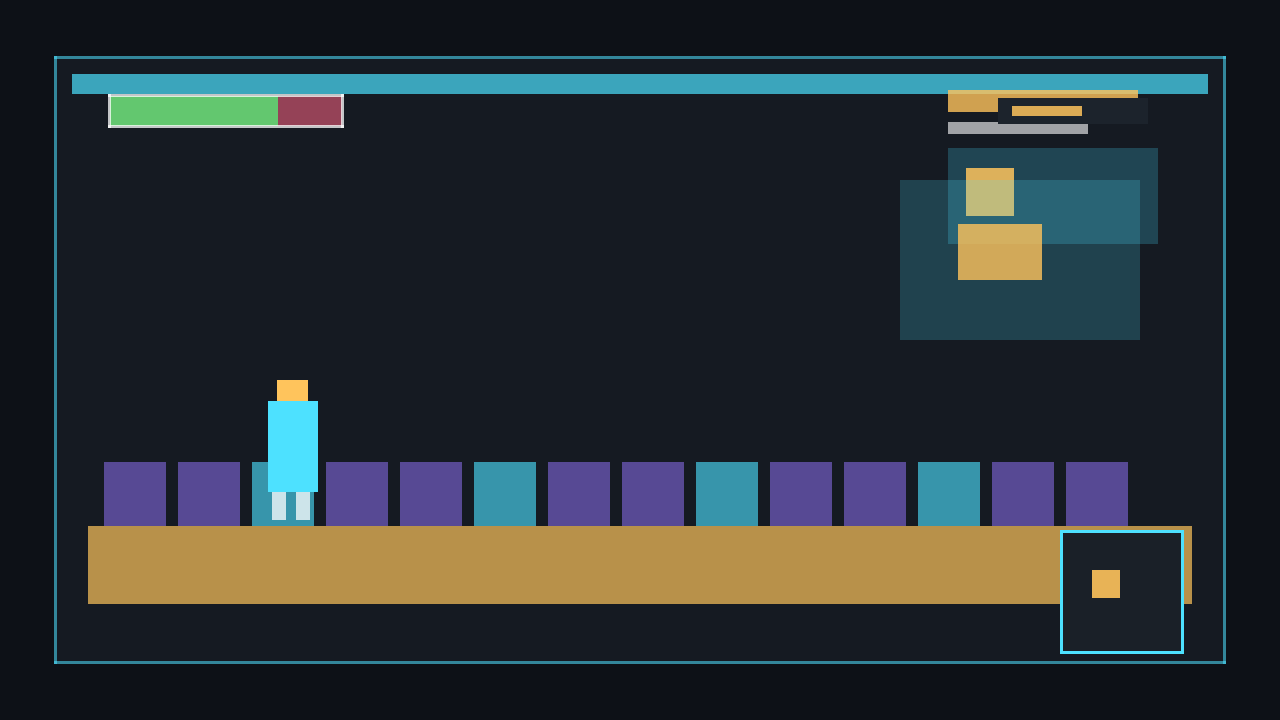
⚠️ Crucial: never draw your HUD inside the same SpriteBatch.Begin that uses a camera transform. Draw it in a separate SpriteBatch.Begin() with no transform so it does not drift when the camera moves. See Implementing a Camera for the camera side of this pattern.
// World pass: camera transform affects sprites in the level.
_spriteBatch.Begin(transformMatrix: cameraMatrix);
DrawWorld();
_spriteBatch.End();

// HUD pass: no transform, so coordinates are screen pixels.
_spriteBatch.Begin();
DrawHud();
_spriteBatch.End();
Drawing text with SpriteFont
MonoGame text rendering uses a compiled SpriteFont asset. Load it once in LoadContent with Content.Load<SpriteFont>, then draw strings with _spriteBatch.DrawString inside your HUD batch. Typical HUD text includes score, ammunition, FPS, prompts, and item names.
private SpriteFont _hudFont;
private int _score = 1250;

protected override void LoadContent()
{
    _hudFont = Content.Load<SpriteFont>("HudFont");
}

private void DrawHudText()
{
    _spriteBatch.DrawString(_hudFont, $"Score: {_score}", new Vector2(24, 24), Color.White);
}
⚠️ Caution: Content.Load<SpriteFont>("HudFont") requires a real HudFont.spritefont file in your MonoGame Content project and it must be built by the MGCB pipeline. Without that compiled asset the game will throw a content loading error at runtime.
A minimal .spritefont file looks like this. Add it to the Content project, build it with MGCB, and load it by asset name without the file extension.
<?xml version="1.0" encoding="utf-8"?>
<XnaContent xmlns:Graphics="Microsoft.Xna.Framework.Content.Pipeline.Graphics">
<Asset Type="Graphics:FontDescription">
<FontName>Arial</FontName>
<Size>18</Size>
<Spacing>0</Spacing>
<UseKerning>true</UseKerning>
<Style>Regular</Style>
<CharacterRegions>
<CharacterRegion>
<Start> </Start>
<End>~</End>
</CharacterRegion>
</CharacterRegions>
</Asset>
</XnaContent>Health bars and progress bars
Bars do not need image files. Generate a 1×1 white pixel texture in code, then scale it to any Rectangle. Draw a dark background rectangle first, then draw a coloured fill rectangle whose width is based on a percentage from 0 to 1.
private Texture2D _pixel;
private float _healthPercent = 0.75f;

protected override void LoadContent()
{
    _pixel = new Texture2D(GraphicsDevice, 1, 1);
    _pixel.SetData(new[] { Color.White });
}

private void DrawBar(Rectangle bounds, float percent)
{
    percent = MathHelper.Clamp(percent, 0f, 1f);
    var fill = new Rectangle(bounds.X, bounds.Y, (int)(bounds.Width * percent), bounds.Height);

    _spriteBatch.Draw(_pixel, bounds, Color.DarkRed);
    _spriteBatch.Draw(_pixel, fill, Color.LimeGreen);
}
💡 The same function can draw health, stamina, reload progress, boss health, or loading progress. Change the colours and percentage source, not the drawing technique.
Anchoring to the viewport
Use GraphicsDevice.Viewport each frame rather than hard-coding a window size. This lets HUD elements stay aligned when the window is resized. The examples below place a score in the top-left, ammunition in the top-right, and a prompt near the centre.
Viewport viewport = GraphicsDevice.Viewport;
Vector2 topLeft = new Vector2(24, 24);
Vector2 topRight = new Vector2(viewport.Width - 24, 24);
Vector2 centre = new Vector2(viewport.Width / 2f, viewport.Height / 2f);

string ammoText = "Ammo: 18 / 30";
Vector2 ammoSize = _hudFont.MeasureString(ammoText);
Vector2 ammoPosition = topRight - new Vector2(ammoSize.X, 0f);

_spriteBatch.DrawString(_hudFont, "Score: 1250", topLeft, Color.White);
_spriteBatch.DrawString(_hudFont, ammoText, ammoPosition, Color.White);
_spriteBatch.DrawString(_hudFont, "Press E", centre, Color.Yellow, 0f, _hudFont.MeasureString("Press E") / 2f, 1f, SpriteEffects.None, 0f);
⚠️ Warning: top-right and centre text usually need MeasureString. If you draw from the left edge of the text at viewport.Width - 24, the text will appear partly off-screen.
Minimap concept
A minimap is just another HUD element. Start simple: reserve a small rectangle in a corner, draw a background, then convert world positions to minimap positions by scaling them into that rectangle. Later you can render a separate map texture or use a second camera, but the HUD anchoring rules stay the same.
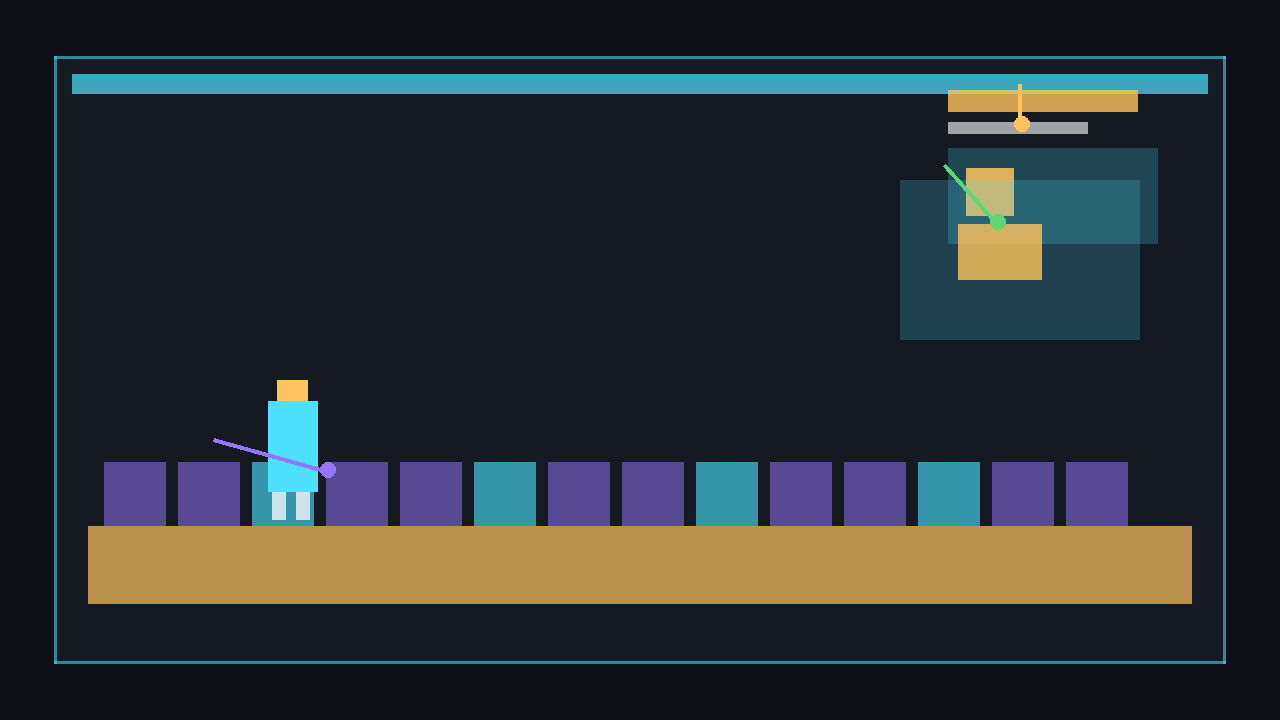
Rectangle minimap = new Rectangle(viewport.Width - 164, 84, 140, 90);
_spriteBatch.Draw(_pixel, minimap, Color.Black * 0.65f);

Vector2 worldSize = new Vector2(2000, 1200);
Vector2 playerWorldPosition = new Vector2(800, 360);
Vector2 normalised = new Vector2(playerWorldPosition.X / worldSize.X, playerWorldPosition.Y / worldSize.Y);

var marker = new Rectangle(
    minimap.X + (int)(normalised.X * minimap.Width) - 3,
    minimap.Y + (int)(normalised.Y * minimap.Height) - 3,
    6,
    6);

_spriteBatch.Draw(_pixel, marker, Color.Cyan);
Complete example: moving world with HUD
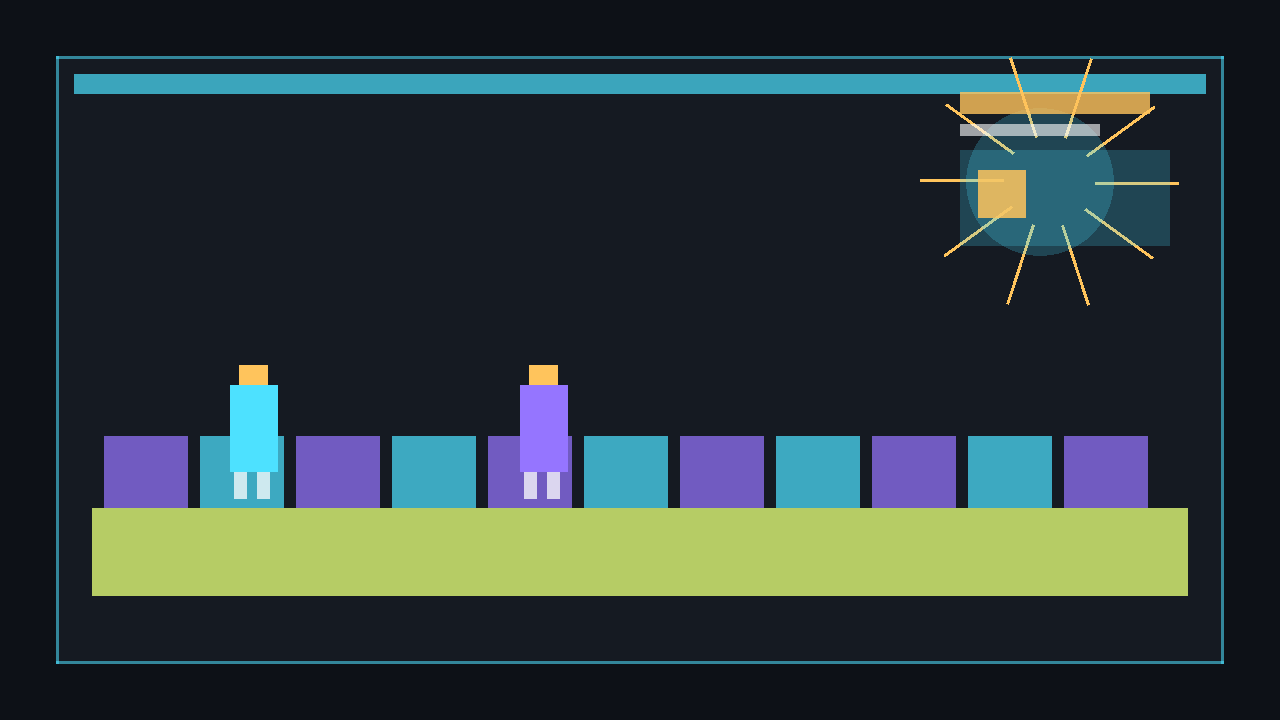
This complete Game1.cs generates its world and shape textures in code. It uses a SpriteFont for score, ammunition, and FPS, so create and build the HudFont.spritefont asset shown above. The world scrolls under a camera transform, while the HUD is drawn in a separate camera-free pass.
using System;
using Microsoft.Xna.Framework;
using Microsoft.Xna.Framework.Graphics;
using Microsoft.Xna.Framework.Input;

public class Game1 : Game
{
    private GraphicsDeviceManager _graphics;
    private SpriteBatch _spriteBatch;
    private Texture2D _pixel;
    private SpriteFont _hudFont;

    private Vector2 _camera;
    private float _health = 1f;
    private float _healthDirection = -1f;
    private float _score;
    private int _ammo = 18;
    private float _fps;

    private readonly Vector2 _worldSize = new Vector2(2400, 1200);
    private readonly Vector2 _playerWorldPosition = new Vector2(900, 420);

    public Game1()
    {
        _graphics = new GraphicsDeviceManager(this);
        Content.RootDirectory = "Content";
        IsMouseVisible = true;
    }

    protected override void Initialize()
    {
        _graphics.PreferredBackBufferWidth = 1280;
        _graphics.PreferredBackBufferHeight = 720;
        _graphics.ApplyChanges();

        base.Initialize();
    }

    protected override void LoadContent()
    {
        _spriteBatch = new SpriteBatch(GraphicsDevice);

        _pixel = new Texture2D(GraphicsDevice, 1, 1);
        _pixel.SetData(new[] { Color.White });

        _hudFont = Content.Load<SpriteFont>("HudFont");
    }

    protected override void Update(GameTime gameTime)
    {
        if (Keyboard.GetState().IsKeyDown(Keys.Escape))
            Exit();

        float dt = (float)gameTime.ElapsedGameTime.TotalSeconds;

        _camera.X += 120f * dt;
        if (_camera.X > _worldSize.X - GraphicsDevice.Viewport.Width)
            _camera.X = 0f;

        _health += _healthDirection * 0.18f * dt;
        if (_health <= 0.15f || _health >= 1f)
        {
            _health = MathHelper.Clamp(_health, 0.15f, 1f);
            _healthDirection *= -1f;
        }

        _score += 60f * dt;
        _fps = dt > 0f ? 1f / dt : 0f;

        base.Update(gameTime);
    }

    protected override void Draw(GameTime gameTime)
    {
        GraphicsDevice.Clear(Color.CornflowerBlue);

        Matrix cameraMatrix = Matrix.CreateTranslation(new Vector3(-_camera, 0f));

        _spriteBatch.Begin(transformMatrix: cameraMatrix);
        DrawWorld();
        _spriteBatch.End();

        _spriteBatch.Begin();
        DrawHud();
        _spriteBatch.End();

        base.Draw(gameTime);
    }

    private void DrawWorld()
    {
        for (int y = 0; y < _worldSize.Y; y += 80)
        {
            for (int x = 0; x < _worldSize.X; x += 80)
            {
                Color colour = ((x / 80 + y / 80) % 2 == 0) ? Color.ForestGreen : Color.SeaGreen;
                _spriteBatch.Draw(_pixel, new Rectangle(x, y, 78, 78), colour);
            }
        }

        var player = new Rectangle((int)_playerWorldPosition.X, (int)_playerWorldPosition.Y, 42, 42);
        _spriteBatch.Draw(_pixel, player, Color.Gold);
    }

    private void DrawHud()
    {
        Viewport viewport = GraphicsDevice.Viewport;

        DrawHealthBar(new Rectangle(24, 24, 260, 24), _health);
        _spriteBatch.DrawString(_hudFont, $"Score: {(int)_score}", new Vector2(24, 58), Color.White);

        string ammoText = $"Ammo: {_ammo} / 30";
        Vector2 ammoSize = _hudFont.MeasureString(ammoText);
        _spriteBatch.DrawString(_hudFont, ammoText, new Vector2(viewport.Width - ammoSize.X - 24, 24), Color.White);

        string fpsText = $"FPS: {_fps:0}";
        Vector2 fpsSize = _hudFont.MeasureString(fpsText);
        _spriteBatch.DrawString(_hudFont, fpsText, new Vector2(viewport.Width - fpsSize.X - 24, 52), Color.LightGreen);

        DrawMinimap(new Rectangle(viewport.Width - 164, 88, 140, 90));

        string centreText = "HUD pass has no camera transform";
        Vector2 centreSize = _hudFont.MeasureString(centreText);
        _spriteBatch.DrawString(_hudFont, centreText, new Vector2((viewport.Width - centreSize.X) / 2f, viewport.Height - 48), Color.Yellow);
    }

    private void DrawHealthBar(Rectangle bounds, float percent)
    {
        percent = MathHelper.Clamp(percent, 0f, 1f);
        var fill = new Rectangle(bounds.X, bounds.Y, (int)(bounds.Width * percent), bounds.Height);

        _spriteBatch.Draw(_pixel, new Rectangle(bounds.X - 2, bounds.Y - 2, bounds.Width + 4, bounds.Height + 4), Color.Black);
        _spriteBatch.Draw(_pixel, bounds, Color.DarkRed);
        _spriteBatch.Draw(_pixel, fill, Color.LimeGreen);
    }

    private void DrawMinimap(Rectangle bounds)
    {
        _spriteBatch.Draw(_pixel, bounds, Color.Black * 0.65f);

        Vector2 normalised = new Vector2(_playerWorldPosition.X / _worldSize.X, _playerWorldPosition.Y / _worldSize.Y);
        var marker = new Rectangle(
            bounds.X + (int)(normalised.X * bounds.Width) - 3,
            bounds.Y + (int)(normalised.Y * bounds.Height) - 3,
            6,
            6);

        _spriteBatch.Draw(_pixel, marker, Color.Cyan);
    }
}
Run the project after adding the HudFont.spritefont content asset. Press Escape to quit. The green health bar decreases and refills, the score increases, the FPS text uses 1 / gameTime.ElapsedGameTime, and the generated world scrolls behind the fixed HUD.
dotnet build
dotnet run
💡 If you want to avoid a font asset while experimenting, comment out the SpriteFont field, Content.Load<SpriteFont>, and DrawString calls. The generated _pixel texture still lets you draw bars, frames, boxes, minimap backgrounds, and markers without any external image files.
Common pitfalls
- Drawing the HUD with the camera transform. It will scroll away with the world. Use a second transform-free batch.
- Hard-coding one window size. Use
GraphicsDevice.Viewportso elements can anchor to the current screen. - Loading fonts every frame. Load
SpriteFontonce inLoadContent, never inUpdateorDraw. - Forgetting the
.spritefontcontent file.DrawStringneeds a built MonoGame font asset. - Letting fill rectangles go negative or too wide. Clamp percentages before calculating bar widths.
Next steps
🎓 Test Your Knowledge
Check your understanding of the key concepts from this tutorial.
When should you draw the HUD relative to the game world?
✔ Correct!
✘ Not quite.
End the world SpriteBatch, then Begin a new one (with no matrix) for the HUD elements.
What is a good way to position HUD elements on different screen sizes?
✔ Correct!
✘ Not quite.
Vector2 pos = new Vector2(GraphicsDevice.Viewport.Width * 0.02f, GraphicsDevice.Viewport.Height * 0.04f);
How do you draw a health bar as a coloured rectangle without an art asset?
✔ Correct!
✘ Not quite.
_pixel = new Texture2D(GraphicsDevice, 1, 1); _pixel.SetData(new[] { Color.White }); then spriteBatch.Draw(_pixel, barRect, Color.Red);
Why is it important to draw HUD text on top of HUD graphics?
✔ Correct!
✘ Not quite.
Within one SpriteBatch.Begin/End block, items drawn later appear on top (unless sorted by layerDepth).