Screens & Rendering
Implementing a Camera
A 2D camera lets your world be larger than the screen. In MonoGame the usual approach is to keep world positions in pixels, build a view Matrix, and pass it to SpriteBatch.Begin(transformMatrix: ...). This tutorial builds a reusable camera, follows a moving player smoothly, clamps to level bounds, converts mouse coordinates between screen and world space, and explains where parallax and UI drawing fit.
Download the runnable sample project
Use the verified ZIP bundle for this article to review the extracted example files, run the sample host, and repackage the sources without bin or obj folders.
What the camera matrix does
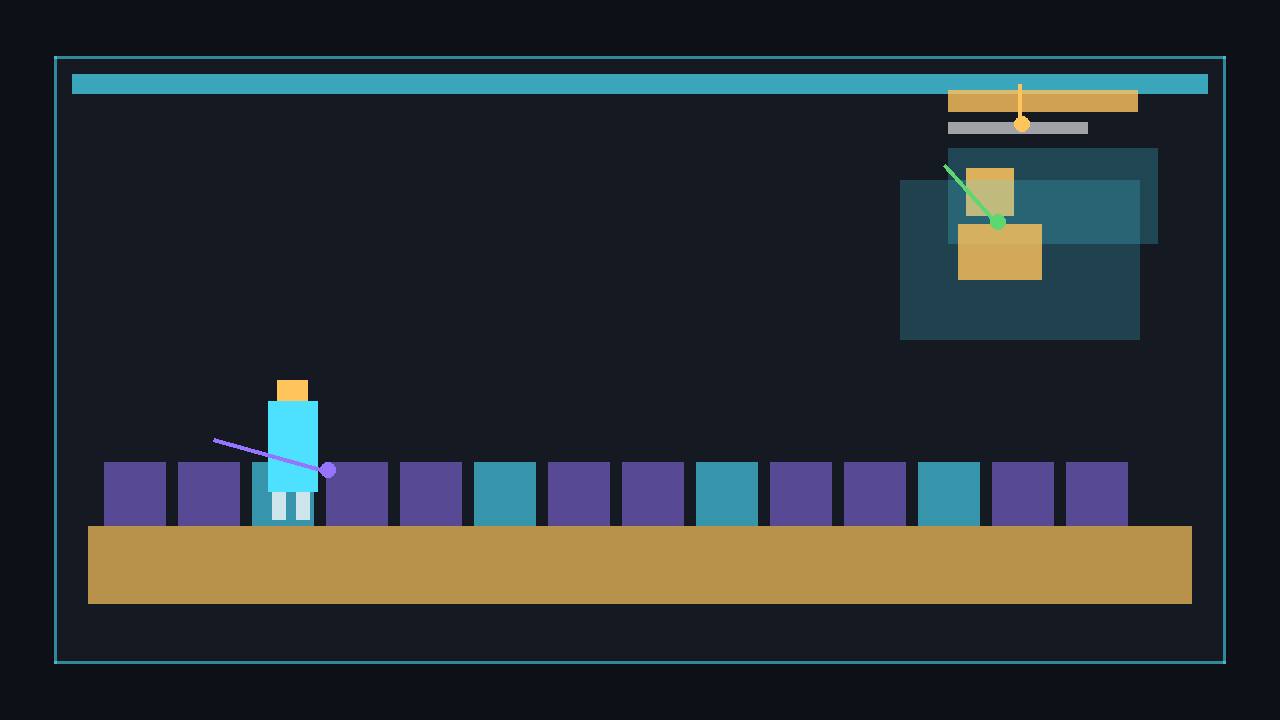
Without a camera, drawing at new Vector2(2000, 1200) means the sprite is far outside an 800×480 window. A camera matrix translates, rotates, and scales the world so the part around the camera appears on screen. The order matters: move the world by the negative camera position, rotate, scale, then move it to the viewport centre.
public Matrix GetViewMatrix(Viewport viewport)
{
    Vector2 viewportCenter = new Vector2(viewport.Width * 0.5f, viewport.Height * 0.5f);

    return
        Matrix.CreateTranslation(new Vector3(-Position, 0f)) *
        Matrix.CreateRotationZ(Rotation) *
        Matrix.CreateScale(Zoom, Zoom, 1f) *
        Matrix.CreateTranslation(new Vector3(viewportCenter, 0f));
}
⚠️ Caution: Keep your camera position in world coordinates. Do not move every sprite manually to fake scrolling; draw world objects normally and let the matrix transform them for you.
The Camera2D class
The camera only needs three public properties for this tutorial: Position, Zoom, and Rotation. It also exposes conversion helpers for mouse picking. The zoom property is clamped so a mouse wheel spike cannot make the world disappear or invert.
using Microsoft.Xna.Framework;
using Microsoft.Xna.Framework.Graphics;

public sealed class Camera2D
{
    public Vector2 Position { get; set; }
    public float Rotation { get; set; }

    private float _zoom = 1f;
    public float Zoom
    {
        get => _zoom;
        set => _zoom = MathHelper.Clamp(value, 0.25f, 4f);
    }

    public Matrix GetViewMatrix(Viewport viewport)
    {
        Vector2 viewportCenter = new Vector2(viewport.Width * 0.5f, viewport.Height * 0.5f);

        return
            Matrix.CreateTranslation(new Vector3(-Position, 0f)) *
            Matrix.CreateRotationZ(Rotation) *
            Matrix.CreateScale(Zoom, Zoom, 1f) *
            Matrix.CreateTranslation(new Vector3(viewportCenter, 0f));
    }

    public Vector2 ScreenToWorld(Vector2 screenPosition, Viewport viewport)
    {
        Matrix inverse = Matrix.Invert(GetViewMatrix(viewport));
        return Vector2.Transform(screenPosition, inverse);
    }

    public Vector2 WorldToScreen(Vector2 worldPosition, Viewport viewport)
    {
        return Vector2.Transform(worldPosition, GetViewMatrix(viewport));
    }
}
Following and clamping
Instantly setting the camera to a target works, but it can feel stiff. Vector2.Lerp moves part of the distance each frame, creating a smooth follow. Afterwards, clamp the camera centre so the viewport cannot show empty space outside the level. Because zoom changes the visible world size, the clamp uses viewport.Width / Zoom and viewport.Height / Zoom.
private void FollowTarget(Vector2 targetCenter, Rectangle worldBounds, Viewport viewport, float dt)
{
    float followSharpness = 8f;
    float amount = 1f - MathF.Exp(-followSharpness * dt);
    _camera.Position = Vector2.Lerp(_camera.Position, targetCenter, amount);

    float halfVisibleWidth = viewport.Width * 0.5f / _camera.Zoom;
    float halfVisibleHeight = viewport.Height * 0.5f / _camera.Zoom;

    float minX = worldBounds.Left + halfVisibleWidth;
    float maxX = worldBounds.Right - halfVisibleWidth;
    float minY = worldBounds.Top + halfVisibleHeight;
    float maxY = worldBounds.Bottom - halfVisibleHeight;

    if (minX > maxX) _camera.Position = new Vector2(worldBounds.Center.X, _camera.Position.Y);
    else _camera.Position = new Vector2(MathHelper.Clamp(_camera.Position.X, minX, maxX), _camera.Position.Y);

    if (minY > maxY) _camera.Position = new Vector2(_camera.Position.X, worldBounds.Center.Y);
    else _camera.Position = new Vector2(_camera.Position.X, MathHelper.Clamp(_camera.Position.Y, minY, maxY));
}
💡 A smoothed camera should still use delta time. The exponential amount above feels similar at different frame rates, unlike a hard-coded 0.1f lerp value.
⚠️ Warning: Clamp after zoom changes. If you clamp first and then zoom in or out, the visible area may briefly expose beyond the world edges.
Screen and world coordinates
Mouse input arrives in screen coordinates, but your tiles and player live in world coordinates. Invert the camera matrix, then use Vector2.Transform to convert a mouse position into the world. This is essential for clicking tiles, placing objects, selecting units, and debugging camera movement.
MouseState mouse = Mouse.GetState();
Vector2 mouseScreen = new Vector2(mouse.X, mouse.Y);
Vector2 mouseWorld = _camera.ScreenToWorld(mouseScreen, GraphicsDevice.Viewport);

int tileX = (int)MathF.Floor(mouseWorld.X / TileSize);
int tileY = (int)MathF.Floor(mouseWorld.Y / TileSize);
Complete example: scrolling tile world
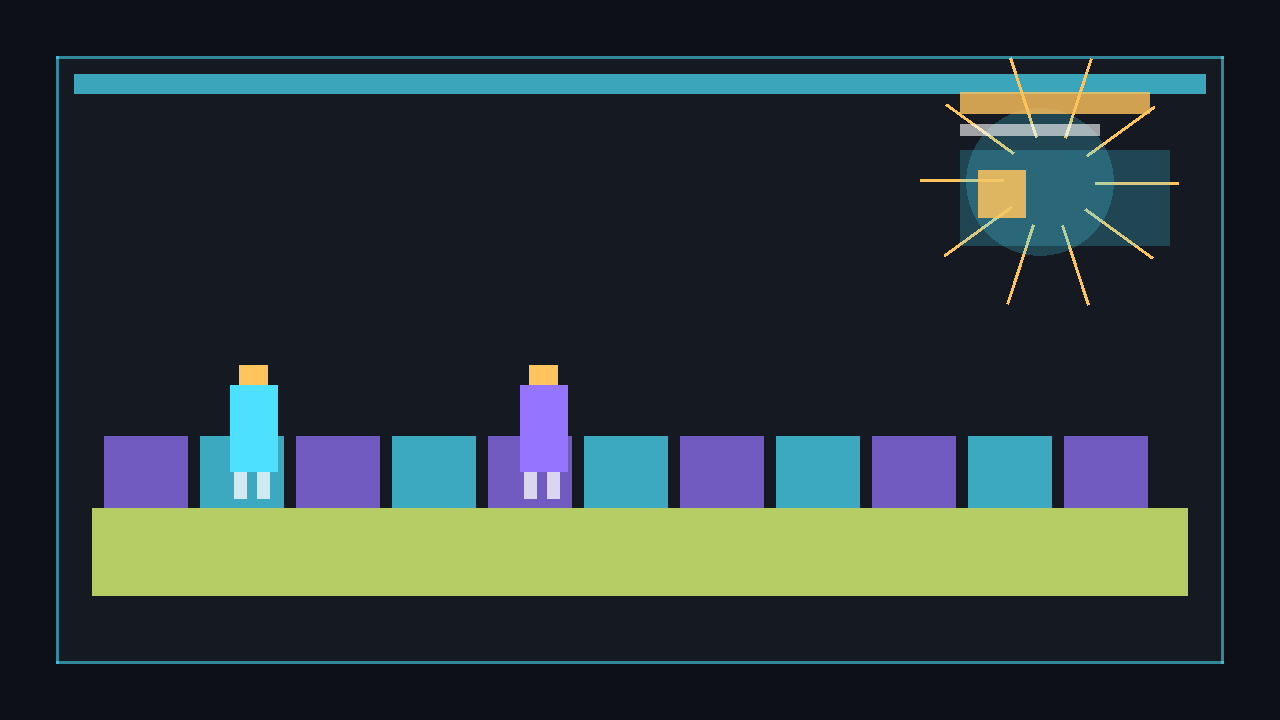
This complete Game1.cs creates a large tile grid in code, generates a 1×1 white texture at runtime, moves a player rectangle with WASD, follows the player with a clamped camera, and zooms with the mouse wheel or +/- keys. No image files are required.
using System;
using Microsoft.Xna.Framework;
using Microsoft.Xna.Framework.Graphics;
using Microsoft.Xna.Framework.Input;

public class Game1 : Game
{
    private const int TileSize = 64;
    private const int WorldTilesWide = 80;
    private const int WorldTilesHigh = 60;
    private const int PlayerSize = 42;

    private readonly Rectangle _worldBounds = new Rectangle(
        0,
        0,
        WorldTilesWide * TileSize,
        WorldTilesHigh * TileSize);

    private GraphicsDeviceManager _graphics;
    private SpriteBatch _spriteBatch;
    private Texture2D _pixel;
    private Camera2D _camera = new Camera2D();
    private Vector2 _playerPosition = new Vector2(300, 300);
    private KeyboardState _previousKeyboard;
    private MouseState _previousMouse;

    public Game1()
    {
        _graphics = new GraphicsDeviceManager(this);
        _graphics.PreferredBackBufferWidth = 1280;
        _graphics.PreferredBackBufferHeight = 720;
        Content.RootDirectory = "Content";
        IsMouseVisible = true;
    }

    protected override void LoadContent()
    {
        _spriteBatch = new SpriteBatch(GraphicsDevice);

        _pixel = new Texture2D(GraphicsDevice, 1, 1);
        _pixel.SetData(new[] { Color.White });

        _camera.Position = _playerPosition + new Vector2(PlayerSize * 0.5f);
    }

    protected override void Update(GameTime gameTime)
    {
        KeyboardState keyboard = Keyboard.GetState();
        MouseState mouse = Mouse.GetState();

        if (keyboard.IsKeyDown(Keys.Escape))
            Exit();

        float dt = (float)gameTime.ElapsedGameTime.TotalSeconds;
        MovePlayer(keyboard, dt);
        UpdateZoom(keyboard, mouse, dt);

        Vector2 playerCentre = _playerPosition + new Vector2(PlayerSize * 0.5f);
        FollowTarget(playerCentre, _worldBounds, GraphicsDevice.Viewport, dt);

        _previousKeyboard = keyboard;
        _previousMouse = mouse;
        base.Update(gameTime);
    }

    private void MovePlayer(KeyboardState keyboard, float dt)
    {
        Vector2 input = Vector2.Zero;

        if (keyboard.IsKeyDown(Keys.W)) input.Y -= 1f;
        if (keyboard.IsKeyDown(Keys.S)) input.Y += 1f;
        if (keyboard.IsKeyDown(Keys.A)) input.X -= 1f;
        if (keyboard.IsKeyDown(Keys.D)) input.X += 1f;

        if (input.LengthSquared() > 0f)
            input.Normalize();

        float speed = 360f;
        _playerPosition += input * speed * dt;

        _playerPosition.X = MathHelper.Clamp(
            _playerPosition.X,
            _worldBounds.Left,
            _worldBounds.Right - PlayerSize);

        _playerPosition.Y = MathHelper.Clamp(
            _playerPosition.Y,
            _worldBounds.Top,
            _worldBounds.Bottom - PlayerSize);
    }

    private void UpdateZoom(KeyboardState keyboard, MouseState mouse, float dt)
    {
        int wheelDelta = mouse.ScrollWheelValue - _previousMouse.ScrollWheelValue;
        if (wheelDelta != 0)
            _camera.Zoom += wheelDelta * 0.001f;

        if (keyboard.IsKeyDown(Keys.OemPlus) || keyboard.IsKeyDown(Keys.Add))
            _camera.Zoom += 1.5f * dt;

        if (keyboard.IsKeyDown(Keys.OemMinus) || keyboard.IsKeyDown(Keys.Subtract))
            _camera.Zoom -= 1.5f * dt;
    }

    private void FollowTarget(Vector2 targetCenter, Rectangle worldBounds, Viewport viewport, float dt)
    {
        float followSharpness = 8f;
        float amount = 1f - MathF.Exp(-followSharpness * dt);
        _camera.Position = Vector2.Lerp(_camera.Position, targetCenter, amount);

        float halfVisibleWidth = viewport.Width * 0.5f / _camera.Zoom;
        float halfVisibleHeight = viewport.Height * 0.5f / _camera.Zoom;

        float minX = worldBounds.Left + halfVisibleWidth;
        float maxX = worldBounds.Right - halfVisibleWidth;
        float minY = worldBounds.Top + halfVisibleHeight;
        float maxY = worldBounds.Bottom - halfVisibleHeight;

        if (minX > maxX) _camera.Position = new Vector2(worldBounds.Center.X, _camera.Position.Y);
        else _camera.Position = new Vector2(MathHelper.Clamp(_camera.Position.X, minX, maxX), _camera.Position.Y);

        if (minY > maxY) _camera.Position = new Vector2(_camera.Position.X, worldBounds.Center.Y);
        else _camera.Position = new Vector2(_camera.Position.X, MathHelper.Clamp(_camera.Position.Y, minY, maxY));
    }

    protected override void Draw(GameTime gameTime)
    {
        GraphicsDevice.Clear(Color.Black);

        Matrix cameraMatrix = _camera.GetViewMatrix(GraphicsDevice.Viewport);

        _spriteBatch.Begin(transformMatrix: cameraMatrix, samplerState: SamplerState.PointClamp);
        DrawWorld();
        _spriteBatch.End();

        _spriteBatch.Begin(samplerState: SamplerState.PointClamp);
        DrawHudBars();
        _spriteBatch.End();

        base.Draw(gameTime);
    }

    private void DrawWorld()
    {
        for (int y = 0; y < WorldTilesHigh; y++)
        {
            for (int x = 0; x < WorldTilesWide; x++)
            {
                Color tileColour = ((x + y) % 2 == 0)
                    ? new Color(36, 66, 82)
                    : new Color(28, 54, 68);

                Rectangle tile = new Rectangle(x * TileSize, y * TileSize, TileSize - 2, TileSize - 2);
                _spriteBatch.Draw(_pixel, tile, tileColour);
            }
        }

        Rectangle player = new Rectangle(
            (int)_playerPosition.X,
            (int)_playerPosition.Y,
            PlayerSize,
            PlayerSize);

        _spriteBatch.Draw(_pixel, player, Color.OrangeRed);
    }

    private void DrawHudBars()
    {
        _spriteBatch.Draw(_pixel, new Rectangle(16, 16, 260, 72), Color.Black * 0.7f);
        _spriteBatch.Draw(_pixel, new Rectangle(24, 24, 120, 12), Color.LimeGreen);
        _spriteBatch.Draw(_pixel, new Rectangle(24, 44, 180, 12), Color.CornflowerBlue);
        _spriteBatch.Draw(_pixel, new Rectangle(24, 64, 80, 12), Color.Gold);
    }
}

public sealed class Camera2D
{
    public Vector2 Position { get; set; }
    public float Rotation { get; set; }

    private float _zoom = 1f;
    public float Zoom
    {
        get => _zoom;
        set => _zoom = MathHelper.Clamp(value, 0.25f, 4f);
    }

    public Matrix GetViewMatrix(Viewport viewport)
    {
        Vector2 viewportCenter = new Vector2(viewport.Width * 0.5f, viewport.Height * 0.5f);

        return
            Matrix.CreateTranslation(new Vector3(-Position, 0f)) *
            Matrix.CreateRotationZ(Rotation) *
            Matrix.CreateScale(Zoom, Zoom, 1f) *
            Matrix.CreateTranslation(new Vector3(viewportCenter, 0f));
    }

    public Vector2 ScreenToWorld(Vector2 screenPosition, Viewport viewport)
    {
        Matrix inverse = Matrix.Invert(GetViewMatrix(viewport));
        return Vector2.Transform(screenPosition, inverse);
    }

    public Vector2 WorldToScreen(Vector2 worldPosition, Viewport viewport)
    {
        return Vector2.Transform(worldPosition, GetViewMatrix(viewport));
    }
}
Run it with dotnet run. Move with WASD, zoom with the mouse wheel or +/-, and press Escape to quit.
dotnet build
dotnet run
Parallax and HUD cautions
Parallax backgrounds are drawn with a gentler transform than the main world. For example, use a copy of the camera position multiplied by 0.25f for a far background, 0.5f for mid-ground scenery, and the normal camera for gameplay. Draw far layers first, then the main world, then foreground details.
Matrix worldMatrix = _camera.GetViewMatrix(GraphicsDevice.Viewport);

_spriteBatch.Begin(transformMatrix: worldMatrix);
DrawTilesAndPlayer();
_spriteBatch.End();

// UI/HUD uses a second Begin with no camera matrix.
_spriteBatch.Begin();
DrawHealthBarsAndMenus();
_spriteBatch.End();
⚠️ Caution: UI and HUD elements should be drawn in a second SpriteBatch.Begin without the camera matrix. If you draw UI with the camera transform, menus and health bars will scroll and zoom with the world.
💡 For parallax, do not move background textures by magic screen offsets. Use smaller camera movement factors so the layer still responds consistently to camera position and zoom.
Next steps
🎓 Test Your Knowledge
Check your understanding of the key concepts from this tutorial.
What transformation does a 2D camera typically apply to the SpriteBatch?
✔ Correct!
✘ Not quite.
Pass camera.GetTransformMatrix() as the transformMatrix argument to SpriteBatch.Begin.
To scroll the camera right, which direction do you move the camera’s position?
✔ Correct!
✘ Not quite.
The camera position represents the top-left corner of the visible area; adding to X moves it right.
Why might you clamp the camera position to world bounds?
✔ Correct!
✘ Not quite.
Clamp each axis so camera.Position.X stays between 0 and worldWidth - viewportWidth.
What is camera “smoothing” or “lerping”?
✔ Correct!
✘ Not quite.
_position = Vector2.Lerp(_position, target, smoothFactor * deltaTime); gives natural camera lag.