Screens & Rendering
Creating a Tilemap
A tilemap is a compact way to build a 2D level from repeated square pieces. This tutorial shows how to store a level as an int[,] grid, split a generated tileset texture into source rectangles, draw only the tiles you need with SpriteBatch, and block the player with simple tile collision. The complete sample creates every texture in code, so no external assets are required.
Download the runnable sample project
Use the verified ZIP bundle for this article to review the extracted example files, run the sample host, and repackage the sources without bin or obj folders.
What is a tilemap?
A tilemap turns a level into a grid. Each cell stores a number, and each number means “draw this tile from the tileset”. For example, 0 might be floor, 1 might be wall, and 2 might be water. Because the level is stored as small numbers, it is easy to edit, load, draw, and test for collision.
💡 Keep the tile size consistent. A 32 × 32 tileset works best with a 32 pixel grid unless you deliberately scale the drawing rectangles.
Representing the map as integers
The simplest map is a hard-coded int[,]. In this convention the first dimension is the row (y) and the second dimension is the column (x), so a tile is read as map[tileY, tileX].
private readonly int[,] _map =
{
    { 1, 1, 1, 1, 1, 1, 1, 1 },
    { 1, 0, 0, 0, 0, 0, 2, 1 },
    { 1, 0, 1, 1, 0, 0, 2, 1 },
    { 1, 0, 0, 0, 0, 0, 0, 1 },
    { 1, 1, 1, 1, 1, 1, 1, 1 }
};

int mapRows = _map.GetLength(0);
int mapColumns = _map.GetLength(1);

int tileIndex = _map[tileY, tileX];
You can also use a jagged array (int[][]) if you prefer rows with different lengths. For rectangular maps, int[,] is usually simpler.
⚠️ Caution: Be consistent about row and column order. Accidentally reading map[x, y] from a row-first array will swap axes and cause confusing drawing or collision bugs.
Tilesets and source rectangles
A tileset is one texture containing many tile images. MonoGame's SpriteBatch.Draw overload can draw a rectangular slice of that texture. If each tile is 32 pixels and the tileset has three columns, tile index 4 is column 1, row 1.
private const int TileSize = 32;
private const int TilesetColumns = 3;

private Rectangle GetSourceRectangle(int tileIndex)
{
    int tileX = tileIndex % TilesetColumns;
    int tileY = tileIndex / TilesetColumns;

    return new Rectangle(
        tileX * TileSize,
        tileY * TileSize,
        TileSize,
        TileSize);
}

_spriteBatch.Draw(_tileset, destinationRectangle, GetSourceRectangle(tileIndex), Color.White);
⚠️ Warning: Tile indices must match the tileset layout. If you add or reorder art in the tileset, update the map values or your level will draw the wrong tiles.
Loading a map from CSV text
Hard-coded arrays are fine for learning, but a small CSV string is easier to copy from a level editor or text file. Each line is a row; each comma-separated number is one tile.
using System;

private static int[,] LoadMapFromCsv(string csv)
{
    string[] rows = csv.Trim().Split(
        new[] { '\r', '\n' },
        StringSplitOptions.RemoveEmptyEntries);

    int height = rows.Length;
    int width = rows[0].Split(',').Length;
    int[,] map = new int[height, width];

    for (int y = 0; y < height; y++)
    {
        string[] cells = rows[y].Split(',');

        for (int x = 0; x < width; x++)
            map[y, x] = int.Parse(cells[x].Trim());
    }

    return map;
}
⚠️ Caution: Validate file-based maps in real projects. Check that every row has the same width and handle invalid numbers before using the map in your game.
World and tile coordinates
World coordinates are pixels. Tile coordinates are grid cells. Converting from world to tile space is integer division: worldX / tileWidth. Converting back multiplies by tile size.
private const int TileWidth = 32;
private const int TileHeight = 32;

private Point WorldToTile(Vector2 worldPosition)
{
    int tileX = (int)worldPosition.X / TileWidth;
    int tileY = (int)worldPosition.Y / TileHeight;

    return new Point(tileX, tileY);
}

private Vector2 TileToWorld(Point tilePosition)
{
    return new Vector2(tilePosition.X * TileWidth, tilePosition.Y * TileHeight);
}
Tile-based collision
For basic collision, decide which tile numbers are solid. Before moving the player, build the player's next rectangle and check the tiles under its corners. If any corner touches a wall tile, cancel that movement.
private bool IsWall(int tileX, int tileY)
{
    int height = _map.GetLength(0);
    int width = _map.GetLength(1);

    if (tileX < 0 || tileY < 0 || tileX >= width || tileY >= height)
        return true;

    return _map[tileY, tileX] == 1;
}

private bool IsWallAtPixel(int worldX, int worldY)
{
    if (worldX < 0 || worldY < 0)
        return true;

    return IsWall(worldX / TileSize, worldY / TileSize);
}

private bool TouchesWall(Rectangle bounds)
{
    return IsWallAtPixel(bounds.Left, bounds.Top)
        || IsWallAtPixel(bounds.Right - 1, bounds.Top)
        || IsWallAtPixel(bounds.Left, bounds.Bottom - 1)
        || IsWallAtPixel(bounds.Right - 1, bounds.Bottom - 1);
}
⚠️ Warning: Treating out-of-map positions as solid prevents the player from leaving the level. If your game allows falling off a map, change that rule deliberately.
Drawing only visible tiles
Large maps should not draw every tile every frame. Work out which tile range overlaps the camera or viewport, then loop over only that range. The sample below uses the viewport directly; with a camera, add the camera position before dividing by the tile size.
private void DrawVisibleMap()
{
    int rows = _map.GetLength(0);
    int columns = _map.GetLength(1);

    int startX = 0;
    int startY = 0;
    int endX = Math.Min(columns - 1, GraphicsDevice.Viewport.Width / TileSize);
    int endY = Math.Min(rows - 1, GraphicsDevice.Viewport.Height / TileSize);

    for (int y = startY; y <= endY; y++)
    {
        for (int x = startX; x <= endX; x++)
        {
            int tileIndex = _map[y, x];
            Rectangle source = GetSourceRectangle(tileIndex);
            Rectangle destination = new Rectangle(x * TileSize, y * TileSize, TileSize, TileSize);

            _spriteBatch.Draw(_tileset, destination, source, Color.White);
        }
    }
}
💡 Culling is a performance habit. It may not matter for a 20 × 15 test map, but it becomes important when your level grows to thousands of tiles.
Complete example: a blocked player on a tilemap
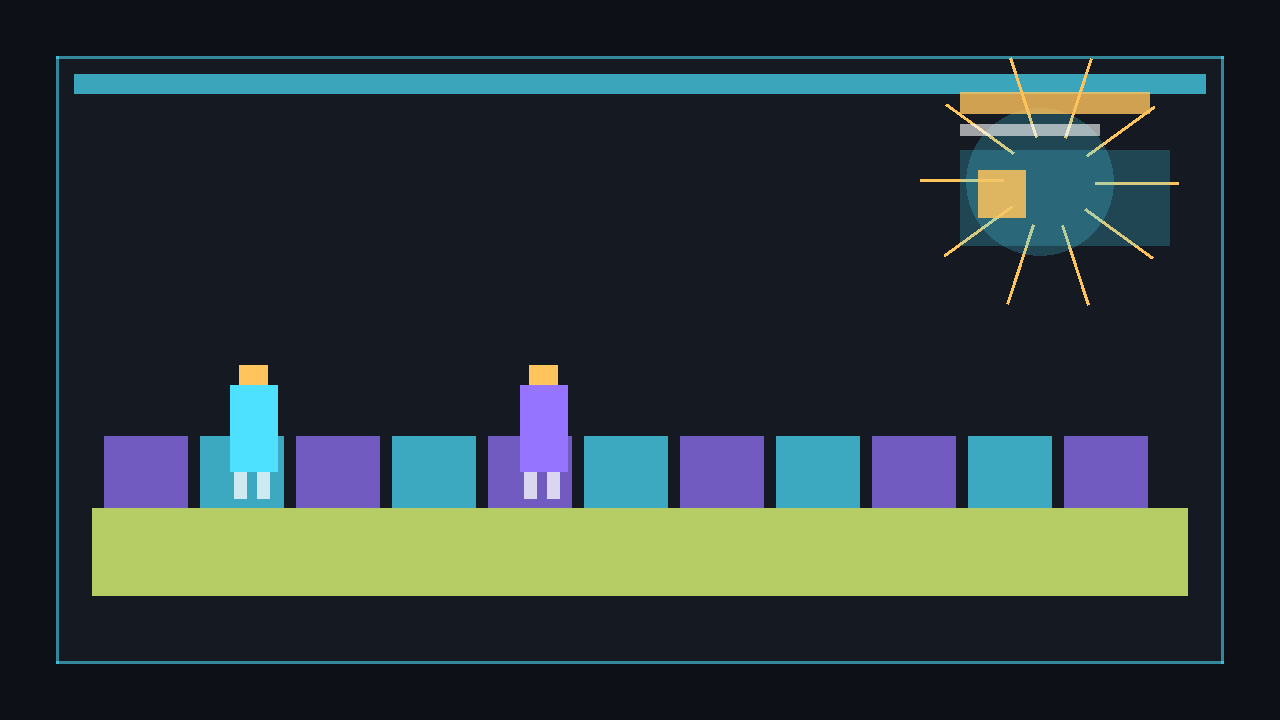
This complete Game1.cs generates a three-tile tileset in memory with SetData, creates a small map, and draws a player box that moves with WASD. Wall tiles block movement. No content pipeline assets are needed.
using System;
using Microsoft.Xna.Framework;
using Microsoft.Xna.Framework.Graphics;
using Microsoft.Xna.Framework.Input;

public class Game1 : Game
{
    private const int TileSize = 32;
    private const int TilesetColumns = 3;
    private const int PlayerSize = 24;
    private const float PlayerSpeed = 160f;

    private readonly GraphicsDeviceManager _graphics;
    private SpriteBatch _spriteBatch;
    private Texture2D _tileset;
    private Texture2D _playerTexture;
    private Vector2 _playerPosition = new Vector2(64, 64);

    private readonly int[,] _map =
    {
        { 1, 1, 1, 1, 1, 1, 1, 1, 1, 1, 1, 1, 1, 1, 1, 1 },
        { 1, 0, 0, 0, 0, 0, 0, 0, 0, 0, 0, 0, 0, 2, 2, 1 },
        { 1, 0, 0, 0, 1, 1, 1, 0, 0, 0, 1, 0, 0, 2, 2, 1 },
        { 1, 0, 0, 0, 1, 0, 0, 0, 2, 0, 1, 0, 0, 0, 0, 1 },
        { 1, 0, 1, 0, 1, 0, 2, 2, 2, 0, 1, 0, 1, 1, 0, 1 },
        { 1, 0, 1, 0, 0, 0, 0, 0, 0, 0, 0, 0, 0, 1, 0, 1 },
        { 1, 0, 1, 1, 1, 0, 1, 1, 1, 1, 1, 0, 0, 1, 0, 1 },
        { 1, 0, 0, 0, 0, 0, 0, 0, 0, 0, 0, 0, 0, 0, 0, 1 },
        { 1, 1, 1, 1, 1, 1, 1, 1, 1, 1, 1, 1, 1, 1, 1, 1 }
    };

    public Game1()
    {
        _graphics = new GraphicsDeviceManager(this);
        Content.RootDirectory = "Content";
        IsMouseVisible = true;
    }

    protected override void Initialize()
    {
        _graphics.PreferredBackBufferWidth = 640;
        _graphics.PreferredBackBufferHeight = 360;
        _graphics.ApplyChanges();

        base.Initialize();
    }

    protected override void LoadContent()
    {
        _spriteBatch = new SpriteBatch(GraphicsDevice);
        _tileset = CreateTileset();
        _playerTexture = CreateSolidTexture(PlayerSize, PlayerSize, Color.Gold);
    }

    private Texture2D CreateTileset()
    {
        int textureWidth = TileSize * TilesetColumns;
        int textureHeight = TileSize;
        Texture2D texture = new Texture2D(GraphicsDevice, textureWidth, textureHeight);
        Color[] pixels = new Color[textureWidth * textureHeight];
        Color[] palette =
        {
            new Color(70, 120, 65),
            new Color(80, 82, 94),
            new Color(45, 105, 175)
        };

        for (int tile = 0; tile < TilesetColumns; tile++)
        {
            for (int y = 0; y < TileSize; y++)
            {
                for (int x = 0; x < TileSize; x++)
                {
                    int pixelX = tile * TileSize + x;
                    bool border = x == 0 || y == 0 || x == TileSize - 1 || y == TileSize - 1;
                    Color colour = border ? Color.Black : palette[tile];
                    pixels[y * textureWidth + pixelX] = colour;
                }
            }
        }

        texture.SetData(pixels);
        return texture;
    }

    private Texture2D CreateSolidTexture(int width, int height, Color colour)
    {
        Texture2D texture = new Texture2D(GraphicsDevice, width, height);
        Color[] pixels = new Color[width * height];

        for (int i = 0; i < pixels.Length; i++)
            pixels[i] = colour;

        texture.SetData(pixels);
        return texture;
    }

    protected override void Update(GameTime gameTime)
    {
        KeyboardState keyboard = Keyboard.GetState();

        if (keyboard.IsKeyDown(Keys.Escape))
            Exit();

        Vector2 direction = Vector2.Zero;

        if (keyboard.IsKeyDown(Keys.W)) direction.Y -= 1f;
        if (keyboard.IsKeyDown(Keys.S)) direction.Y += 1f;
        if (keyboard.IsKeyDown(Keys.A)) direction.X -= 1f;
        if (keyboard.IsKeyDown(Keys.D)) direction.X += 1f;

        if (direction.LengthSquared() > 1f)
            direction.Normalize();

        float dt = (float)gameTime.ElapsedGameTime.TotalSeconds;
        Vector2 movement = direction * PlayerSpeed * dt;

        TryMove(new Vector2(movement.X, 0f));
        TryMove(new Vector2(0f, movement.Y));

        base.Update(gameTime);
    }

    private void TryMove(Vector2 movement)
    {
        if (movement == Vector2.Zero)
            return;

        Vector2 nextPosition = _playerPosition + movement;
        Rectangle nextBounds = new Rectangle(
            (int)nextPosition.X,
            (int)nextPosition.Y,
            PlayerSize,
            PlayerSize);

        if (!TouchesWall(nextBounds))
            _playerPosition = nextPosition;
    }

    private bool TouchesWall(Rectangle bounds)
    {
        return IsWallAtPixel(bounds.Left, bounds.Top)
            || IsWallAtPixel(bounds.Right - 1, bounds.Top)
            || IsWallAtPixel(bounds.Left, bounds.Bottom - 1)
            || IsWallAtPixel(bounds.Right - 1, bounds.Bottom - 1);
    }

    private bool IsWallAtPixel(int worldX, int worldY)
    {
        if (worldX < 0 || worldY < 0)
            return true;

        return IsWall(worldX / TileSize, worldY / TileSize);
    }

    private bool IsWall(int tileX, int tileY)
    {
        int rows = _map.GetLength(0);
        int columns = _map.GetLength(1);

        if (tileX < 0 || tileY < 0 || tileX >= columns || tileY >= rows)
            return true;

        return _map[tileY, tileX] == 1;
    }

    protected override void Draw(GameTime gameTime)
    {
        GraphicsDevice.Clear(new Color(20, 24, 32));

        _spriteBatch.Begin(samplerState: SamplerState.PointClamp);
        DrawVisibleMap();
        _spriteBatch.Draw(
            _playerTexture,
            new Rectangle((int)_playerPosition.X, (int)_playerPosition.Y, PlayerSize, PlayerSize),
            Color.White);
        _spriteBatch.End();

        base.Draw(gameTime);
    }

    private void DrawVisibleMap()
    {
        int rows = _map.GetLength(0);
        int columns = _map.GetLength(1);
        int endX = Math.Min(columns - 1, GraphicsDevice.Viewport.Width / TileSize);
        int endY = Math.Min(rows - 1, GraphicsDevice.Viewport.Height / TileSize);

        for (int y = 0; y <= endY; y++)
        {
            for (int x = 0; x <= endX; x++)
            {
                int tileIndex = _map[y, x];
                Rectangle source = GetSourceRectangle(tileIndex);
                Rectangle destination = new Rectangle(x * TileSize, y * TileSize, TileSize, TileSize);

                _spriteBatch.Draw(_tileset, destination, source, Color.White);
            }
        }
    }

    private Rectangle GetSourceRectangle(int tileIndex)
    {
        int tileX = tileIndex % TilesetColumns;
        int tileY = tileIndex / TilesetColumns;

        return new Rectangle(tileX * TileSize, tileY * TileSize, TileSize, TileSize);
    }
}
Run it with dotnet run. Use WASD to move and press Escape to quit. Try changing a few 1 values to 0 in the map to open new corridors.
dotnet build
dotnet run
Real-world tools
As maps become larger, editing numbers by hand becomes slow. Tiled is a popular map editor that saves levels as .tmx files. A production game usually loads a Tiled map, reads its layers and properties, then converts them into the same ideas shown here: tile indices, source rectangles, collision flags, and visible tile ranges.
💡 Start with the small array version first. Once drawing, collision, and culling are clear, a .tmx loader is much easier to reason about.
Next steps
🎓 Test Your Knowledge
Check your understanding of the key concepts from this tutorial.
How is a tilemap’s data typically stored in code?
✔ Correct!
✘ Not quite.
int[,] map = new int[rows, cols]; then map[row, col] gives the tile index to look up in the tileset.
How do you calculate the source rectangle for tile index 5 in a tileset with 4 columns and 16×16 tiles?
✔ Correct!
✘ Not quite.
col = index % tilesPerRow; row = index / tilesPerRow; x = col * tileW; y = row * tileH
What is the main advantage of only drawing visible tiles?
✔ Correct!
✘ Not quite.
Calculate startCol/Row and endCol/Row from the camera viewport and only loop over those.
What does a “collision layer” in a tilemap represent?
✔ Correct!
✘ Not quite.
A separate int[,] collision map lets you change art tiles without breaking collision logic.