Screens & Rendering
Creating a Sprite Sheet Animation
Sprite sheet animation plays a sequence of still images from one texture. This tutorial builds the idea from a single timer to reusable animation clips, an AnimatedSprite, and a small state machine that switches Idle, Walk, and Run animations from keyboard input.
Download the runnable sample project
Use the verified ZIP bundle for this article to review the extracted example files, run the sample host, and repackage the sources without bin or obj folders.
What is a sprite sheet?
A sprite sheet is one image that contains many smaller animation frames. Instead of swapping textures every frame, you keep one Texture2D loaded and tell SpriteBatch.Draw which rectangular region of that texture to draw. That region is the source rectangle.
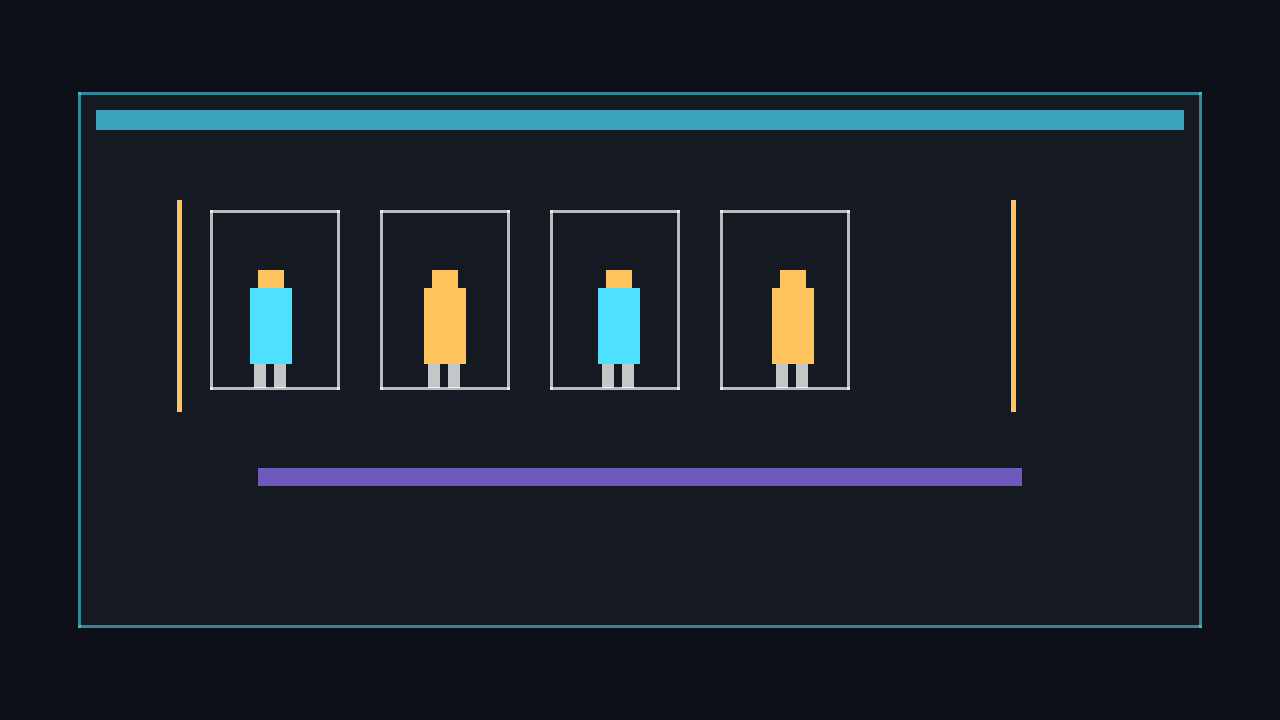
💡 Keep animation textures in one sheet when frames share size and usage. It reduces content management work and makes frame selection a simple rectangle calculation.
Computing source rectangles
For equal-sized frames, frame N starts at column N % columns and row N / columns. Multiply those values by the frame width and height to get the source rectangle position.
private static Rectangle GetFrameRectangle(
    int frameIndex,
    int frameWidth,
    int frameHeight,
    int columns)
{
    int column = frameIndex % columns;
    int row = frameIndex / columns;

    return new Rectangle(
        column * frameWidth,
        row * frameHeight,
        frameWidth,
        frameHeight);
}
⚠️ Caution: This formula assumes every frame has the same width and height. If your art uses packed or trimmed frames, keep a list of explicit Rectangle values instead of calculating from a grid.
Manual single-row animation
The smallest working version stores a current frame, an accumulated timer, and a frames-per-second value. Convert FPS to seconds per frame, add delta time every update, and advance while enough time has accumulated. The modulo operator loops the animation back to frame zero.
private Texture2D _spriteSheet;
private Vector2 _position = new Vector2(120, 120);
private const int FrameWidth = 48;
private const int FrameHeight = 48;
private const int FrameCount = 6;
private const float FramesPerSecond = 10f;
private int _currentFrame;
private float _frameTimer;

protected override void Update(GameTime gameTime)
{
    float dt = (float)gameTime.ElapsedGameTime.TotalSeconds;
    float frameDuration = 1f / FramesPerSecond;

    _frameTimer += dt;
    while (_frameTimer >= frameDuration)
    {
        _frameTimer -= frameDuration;
        _currentFrame = (_currentFrame + 1) % FrameCount;
    }

    base.Update(gameTime);
}

protected override void Draw(GameTime gameTime)
{
    Rectangle source = new Rectangle(
        _currentFrame * FrameWidth,
        0,
        FrameWidth,
        FrameHeight);

    _spriteBatch.Begin(samplerState: SamplerState.PointClamp);
    _spriteBatch.Draw(_spriteSheet, _position, source, Color.White);
    _spriteBatch.End();

    base.Draw(gameTime);
}
For a one-shot animation, do not wrap with modulo. Stop at the final frame and expose an IsFinished flag so gameplay can react when the clip completes.
⚠️ Warning: Do not set _frameTimer = 0f after every advance in production code. Subtracting frameDuration preserves leftover time and keeps animation speed stable during uneven frames.
Reusable Animation class
A reusable clip stores the list of source rectangles, the frame duration, whether the clip loops, and the current frame. This version supports looping clips such as walking and one-shot clips such as an attack or hit reaction.
using System;
using System.Collections.Generic;
using Microsoft.Xna.Framework;

public class Animation
{
    private readonly List<Rectangle> _frames;
    private readonly float _frameDuration;
    private readonly bool _loop;
    private float _timer;
    private int _frameIndex;

    public Animation(List<Rectangle> frames, float framesPerSecond, bool loop = true)
    {
        if (frames == null || frames.Count == 0)
            throw new ArgumentException("Animation needs at least one frame.", nameof(frames));
        if (framesPerSecond <= 0f)
            throw new ArgumentOutOfRangeException(nameof(framesPerSecond));

        _frames = frames;
        _frameDuration = 1f / framesPerSecond;
        _loop = loop;
    }

    public Rectangle CurrentFrame => _frames[_frameIndex];
    public bool IsFinished { get; private set; }

    public void Restart()
    {
        _timer = 0f;
        _frameIndex = 0;
        IsFinished = false;
    }

    public void Update(float dt)
    {
        if (IsFinished || _frames.Count == 1)
            return;

        _timer += dt;
        while (_timer >= _frameDuration && !IsFinished)
        {
            _timer -= _frameDuration;
            _frameIndex++;

            if (_frameIndex >= _frames.Count)
            {
                if (_loop)
                {
                    _frameIndex = 0;
                }
                else
                {
                    _frameIndex = _frames.Count - 1;
                    IsFinished = true;
                }
            }
        }
    }
}
Drawing with AnimatedSprite
The sprite wrapper owns the sheet texture, position, scale, and active clip. Changing the clip restarts timing only when the requested animation is different, which prevents walking from snapping back to frame zero every update.
using System.Collections.Generic;
using Microsoft.Xna.Framework;
using Microsoft.Xna.Framework.Graphics;

public class AnimatedSprite
{
    private readonly Texture2D _texture;
    private readonly Dictionary<string, Animation> _animations;
    private Animation _currentAnimation;
    private string _currentKey;

    public AnimatedSprite(Texture2D texture, Dictionary<string, Animation> animations)
    {
        _texture = texture;
        _animations = animations;
    }

    public Vector2 Position { get; set; }
    public float Scale { get; set; } = 3f;

    public void Play(string key)
    {
        if (_currentKey == key)
            return;

        _currentKey = key;
        _currentAnimation = _animations[key];
        _currentAnimation.Restart();
    }

    public void Update(float dt) => _currentAnimation?.Update(dt);

    public void Draw(SpriteBatch spriteBatch)
    {
        if (_currentAnimation == null)
            return;

        spriteBatch.Draw(
            _texture,
            Position,
            _currentAnimation.CurrentFrame,
            Color.White,
            0f,
            Vector2.Zero,
            Scale,
            SpriteEffects.None,
            0f);
    }
}
Switching Idle, Walk, and Run
A simple animation state machine chooses the clip that best matches the current input. In this example, no horizontal input is Idle, movement is Walk, and holding Left Shift or Right Shift changes Walk to Run.
private enum PlayerAnimationState
{
    Idle,
    Walk,
    Run
}

private PlayerAnimationState GetAnimationState(KeyboardState keyboard)
{
    bool moving = keyboard.IsKeyDown(Keys.A) || keyboard.IsKeyDown(Keys.D) ||
                  keyboard.IsKeyDown(Keys.Left) || keyboard.IsKeyDown(Keys.Right);
    bool running = keyboard.IsKeyDown(Keys.LeftShift) || keyboard.IsKeyDown(Keys.RightShift);

    if (!moving)
        return PlayerAnimationState.Idle;

    return running ? PlayerAnimationState.Run : PlayerAnimationState.Walk;
}

private void ApplyAnimationState(PlayerAnimationState state)
{
    switch (state)
    {
        case PlayerAnimationState.Idle:
            _player.Play("Idle");
            break;
        case PlayerAnimationState.Walk:
            _player.Play("Walk");
            break;
        case PlayerAnimationState.Run:
            _player.Play("Run");
            break;
    }
}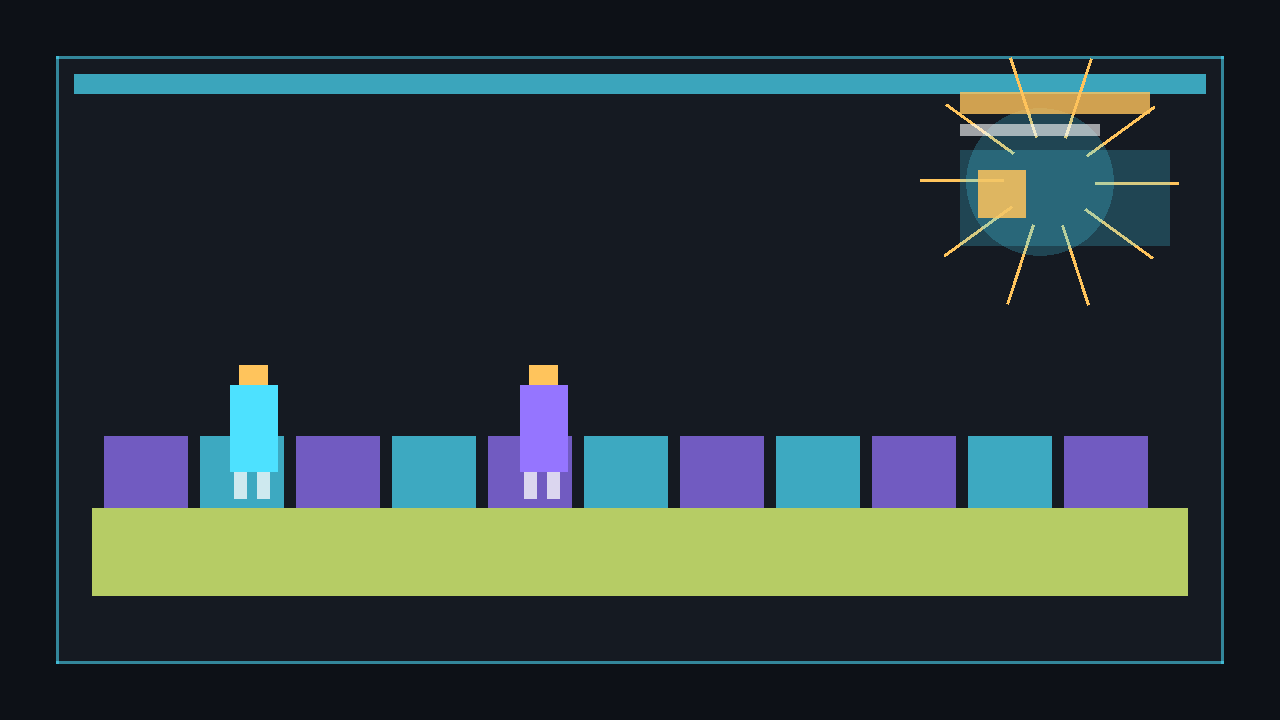
💡 Animation state and gameplay state are related but not identical. A player can be in a gameplay state such as Alive while its animation state changes between Idle, Walk, Run, Jump, and Attack.
Complete runnable example
This Game1.cs creates a sprite sheet in code, so it runs with no external image files. Each row is a different animation: Idle pulses in blue, Walk moves a yellow square gently, and Run moves a red square more dramatically.
using System;
using System.Collections.Generic;
using Microsoft.Xna.Framework;
using Microsoft.Xna.Framework.Graphics;
using Microsoft.Xna.Framework.Input;

public class Game1 : Game
{
    private enum PlayerAnimationState
    {
        Idle,
        Walk,
        Run
    }

    private const int FrameWidth = 32;
    private const int FrameHeight = 32;
    private const int FramesPerRow = 6;
    private const int Rows = 3;

    private GraphicsDeviceManager _graphics;
    private SpriteBatch _spriteBatch;
    private AnimatedSprite _player;
    private PlayerAnimationState _currentState;

    public Game1()
    {
        _graphics = new GraphicsDeviceManager(this);
        Content.RootDirectory = "Content";
        IsMouseVisible = true;
    }

    protected override void LoadContent()
    {
        _spriteBatch = new SpriteBatch(GraphicsDevice);
        Texture2D sheet = CreateSpriteSheet(GraphicsDevice);

        var animations = new Dictionary<string, Animation>
        {
            ["Idle"] = new Animation(CreateFrames(0), 4f, loop: true),
            ["Walk"] = new Animation(CreateFrames(1), 8f, loop: true),
            ["Run"] = new Animation(CreateFrames(2), 12f, loop: true)
        };

        _player = new AnimatedSprite(sheet, animations)
        {
            Position = new Vector2(160, 120),
            Scale = 5f
        };
        _player.Play("Idle");
    }

    protected override void Update(GameTime gameTime)
    {
        KeyboardState keyboard = Keyboard.GetState();
        if (keyboard.IsKeyDown(Keys.Escape))
            Exit();

        float dt = (float)gameTime.ElapsedGameTime.TotalSeconds;
        PlayerAnimationState nextState = GetAnimationState(keyboard);

        if (nextState != _currentState)
        {
            _currentState = nextState;
            _player.Play(_currentState.ToString());
        }

        float speed = _currentState == PlayerAnimationState.Run ? 180f : 90f;
        if (keyboard.IsKeyDown(Keys.A) || keyboard.IsKeyDown(Keys.Left))
            _player.Position += new Vector2(-speed * dt, 0f);
        if (keyboard.IsKeyDown(Keys.D) || keyboard.IsKeyDown(Keys.Right))
            _player.Position += new Vector2(speed * dt, 0f);

        _player.Update(dt);
        base.Update(gameTime);
    }

    protected override void Draw(GameTime gameTime)
    {
        GraphicsDevice.Clear(new Color(20, 24, 32));

        _spriteBatch.Begin(samplerState: SamplerState.PointClamp);
        _player.Draw(_spriteBatch);
        _spriteBatch.End();

        base.Draw(gameTime);
    }

    private static PlayerAnimationState GetAnimationState(KeyboardState keyboard)
    {
        bool moving = keyboard.IsKeyDown(Keys.A) || keyboard.IsKeyDown(Keys.D) ||
                      keyboard.IsKeyDown(Keys.Left) || keyboard.IsKeyDown(Keys.Right);
        bool running = keyboard.IsKeyDown(Keys.LeftShift) || keyboard.IsKeyDown(Keys.RightShift);

        if (!moving)
            return PlayerAnimationState.Idle;

        return running ? PlayerAnimationState.Run : PlayerAnimationState.Walk;
    }

    private static List<Rectangle> CreateFrames(int row)
    {
        var frames = new List<Rectangle>();
        for (int i = 0; i < FramesPerRow; i++)
            frames.Add(new Rectangle(i * FrameWidth, row * FrameHeight, FrameWidth, FrameHeight));
        return frames;
    }

    private static Texture2D CreateSpriteSheet(GraphicsDevice graphicsDevice)
    {
        int width = FrameWidth * FramesPerRow;
        int height = FrameHeight * Rows;
        var texture = new Texture2D(graphicsDevice, width, height);
        var pixels = new Color[width * height];

        for (int frame = 0; frame < FramesPerRow; frame++)
        {
            DrawFrame(pixels, width, frame, 0, Color.CornflowerBlue, frame);
            DrawFrame(pixels, width, frame, 1, Color.Gold, frame * 2);
            DrawFrame(pixels, width, frame, 2, Color.OrangeRed, frame * 3);
        }

        texture.SetData(pixels);
        return texture;
    }

    private static void DrawFrame(Color[] pixels, int sheetWidth, int frame, int row, Color colour, int offset)
    {
        int originX = frame * FrameWidth;
        int originY = row * FrameHeight;

        for (int y = 0; y < FrameHeight; y++)
        {
            for (int x = 0; x < FrameWidth; x++)
            {
                int absoluteX = originX + x;
                int absoluteY = originY + y;
                pixels[absoluteY * sheetWidth + absoluteX] = Color.Transparent;
            }
        }

        int squareSize = 14;
        int squareX = originX + 4 + (offset % 12);
        int squareY = originY + 9;

        for (int y = 0; y < squareSize; y++)
        {
            for (int x = 0; x < squareSize; x++)
            {
                int px = squareX + x;
                int py = squareY + y;
                if (px < originX + FrameWidth && py < originY + FrameHeight)
                    pixels[py * sheetWidth + px] = colour;
            }
        }
    }
}

public class Animation
{
    private readonly List<Rectangle> _frames;
    private readonly float _frameDuration;
    private readonly bool _loop;
    private float _timer;
    private int _frameIndex;

    public Animation(List<Rectangle> frames, float framesPerSecond, bool loop = true)
    {
        if (frames == null || frames.Count == 0)
            throw new ArgumentException("Animation needs at least one frame.", nameof(frames));
        if (framesPerSecond <= 0f)
            throw new ArgumentOutOfRangeException(nameof(framesPerSecond));

        _frames = frames;
        _frameDuration = 1f / framesPerSecond;
        _loop = loop;
    }

    public Rectangle CurrentFrame => _frames[_frameIndex];
    public bool IsFinished { get; private set; }

    public void Restart()
    {
        _timer = 0f;
        _frameIndex = 0;
        IsFinished = false;
    }

    public void Update(float dt)
    {
        if (IsFinished || _frames.Count == 1)
            return;

        _timer += dt;
        while (_timer >= _frameDuration && !IsFinished)
        {
            _timer -= _frameDuration;
            _frameIndex++;

            if (_frameIndex >= _frames.Count)
            {
                if (_loop)
                    _frameIndex = 0;
                else
                {
                    _frameIndex = _frames.Count - 1;
                    IsFinished = true;
                }
            }
        }
    }
}

public class AnimatedSprite
{
    private readonly Texture2D _texture;
    private readonly Dictionary<string, Animation> _animations;
    private Animation _currentAnimation;
    private string _currentKey;

    public AnimatedSprite(Texture2D texture, Dictionary<string, Animation> animations)
    {
        _texture = texture;
        _animations = animations;
    }

    public Vector2 Position { get; set; }
    public float Scale { get; set; } = 3f;

    public void Play(string key)
    {
        if (_currentKey == key)
            return;

        _currentKey = key;
        _currentAnimation = _animations[key];
        _currentAnimation.Restart();
    }

    public void Update(float dt) => _currentAnimation?.Update(dt);

    public void Draw(SpriteBatch spriteBatch)
    {
        if (_currentAnimation == null)
            return;

        spriteBatch.Draw(
            _texture,
            Position,
            _currentAnimation.CurrentFrame,
            Color.White,
            0f,
            Vector2.Zero,
            Scale,
            SpriteEffects.None,
            0f);
    }
}
Run the sample and press A/D or the arrow keys to walk. Hold Shift while moving to run, and press Escape to quit.
dotnet build
dotnet run
Loading a real sheet
When you have finished art, add the image to your MonoGame content project and load it once in LoadContent. The animation code is unchanged; only the texture source changes.
protected override void LoadContent()
{
    _spriteBatch = new SpriteBatch(GraphicsDevice);

    // Content project asset name, without the file extension.
    Texture2D realSheet = Content.Load<Texture2D>("Characters/player_sprite_sheet");

    _player = new AnimatedSprite(realSheet, new Dictionary<string, Animation>
    {
        ["Idle"] = new Animation(CreateFrames(row: 0), 6f),
        ["Walk"] = new Animation(CreateFrames(row: 1), 10f),
        ["Run"] = new Animation(CreateFrames(row: 2), 14f)
    });
}
⚠️ Caution: Load textures in LoadContent, not inside Update or Draw. Loading during gameplay causes stutters and repeats work every frame.
Common pitfalls
- Wrong columns value. If
columnsdoes not match the sheet, frame rectangles jump into the wrong row. - No delta time. Advancing by one frame per update makes animation speed depend on frame rate.
- Restarting the same clip every frame. Only restart when the animation key changes.
- Using linear filtering for pixel art. Pass
SamplerState.PointClampto keep low-resolution frames sharp. - Forgetting one-shot behaviour. Attacks, hit flashes, and death animations usually stop on their last frame instead of looping.
Next steps
🎓 Test Your Knowledge
Check your understanding of the key concepts from this tutorial.
What data structure best represents a list of animation frames?
✔ Correct!
✘ Not quite.
Each element of the array gives the X/Y/W/H region of one animation frame on the sprite sheet.
How do you advance to the next frame over time?
✔ Correct!
✘ Not quite.
e.g. _timer += (float)gameTime.ElapsedGameTime.TotalSeconds; if(_timer >= frameDuration){ _frame++; _timer = 0; }
What happens when you pass a sourceRectangle to SpriteBatch.Draw?
✔ Correct!
✘ Not quite.
This is the key technique for sprite sheets — each frame is a different Rectangle on the same texture.
What should you do at the end of an animation sequence if you want it to loop?
✔ Correct!
✘ Not quite.
if (_frame >= _frames.Length) _frame = 0; is all that is needed for a looping animation.